How to Trade in PoE 2: Market Panel, Trade Site and Currency Exchange
 Lucien ·
Open the in-game Market with /, or search on the trade website. How buying, selling with a Merchant's Tab and the Currency Exchange work.
How does trading work in PoE 2?
PoE 2 trade is asynchronous: sellers list items and go back to mapping, buyers grab them whenever. No more whispering ten people for one pair of boots.
How do you open the Market Panel?
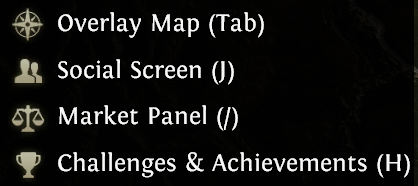
Press / (the slash key), or open the menu button at the bottom left and pick Market Panel. It's the same window either way.
Type the item name in Search Items, set a buyout mode (Instant Buyout is the default) and open the filter groups you need: Type, Equipment, Requirements, Endgame, Miscellaneous, Trade and Stat filters. Tick only the stats you actually need. Every extra filter hides listings you might have liked.
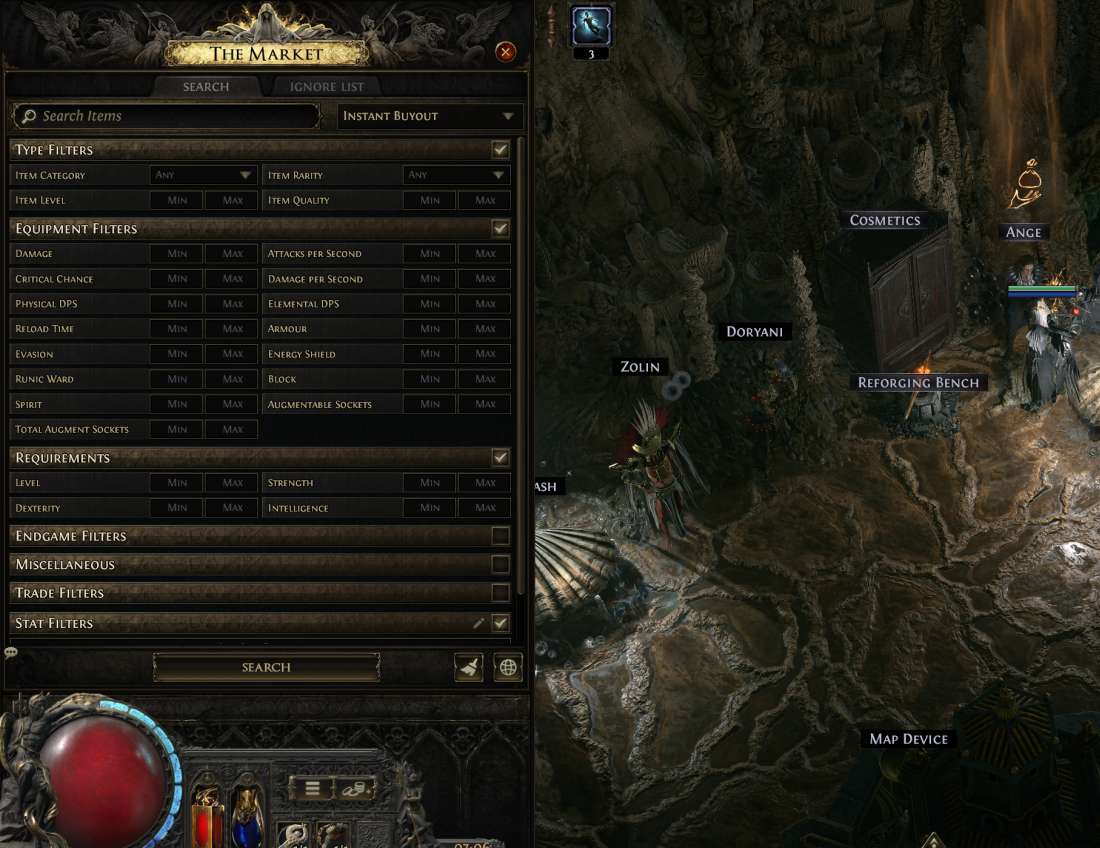
Should you use the Market Panel or the trade website?
Both search the same listings. The Market Panel is great for a quick check without alt-tabbing. For a long shopping session, most players (us included) stick with the website: it loads faster, the window is bigger, and browser add-ons like Better Trading work on it.
Since 0.5.0 there's a shortcut too: Shift + Alt + click an item and the trade search fills in its filters for you. On a controller, hold Y or Triangle on the item.
| What | Market Panel (/) | Trade website |
|---|---|---|
| Opens | In game, hotkey / | pathofexile.com/trade2 |
| Window | Inside the game | Full browser window |
| Browser add-ons | No | Yes |
| Best for | Quick checks mid-map | Long shopping sessions |
How do you buy an item?
- 1. Search on the Market Panel or the website, in the league you play.
- 2. Open a listing and read the whole item: mods, requirements, price. A similar name can hide a very different roll.
- 3. Buy it. You pay the seller's price plus a Gold cost, even if the seller is offline.
- 4. Someone faster? The first player to complete the trade gets the item. Pick the next listing.
GGG doesn't publish the Gold formula, but 0.5.0 raised it by about 50% on weapons. Keep some Gold in the bank before a shopping trip.
How do you sell items?
- 1. Get a Merchant's Tab (40 points, or six for 200). There's no free one.
- 2. Put the item in it and set a price. Each item gets its own price; the tab remembers your last one.
- 3. Wait. New listings take a short moment to show up in search, and you can still pull them back in that window.
- 4. Collect: talk to Ange in your hideout, choose Manage Shop, then open the Earnings tab.
Selling costs you no Gold. Changing a price or removing an item has a cooldown, so price it right the first time. And currency that trades on the Currency Exchange can't go in a Merchant's Tab.
How does the Currency Exchange work?
Pick what you want on the left (I Want) and what you pay with on the right (I Have). The Market Ratio at the top shows the going rate. Set your amounts, then Place Order. Placing an order costs Gold, shown above the button.
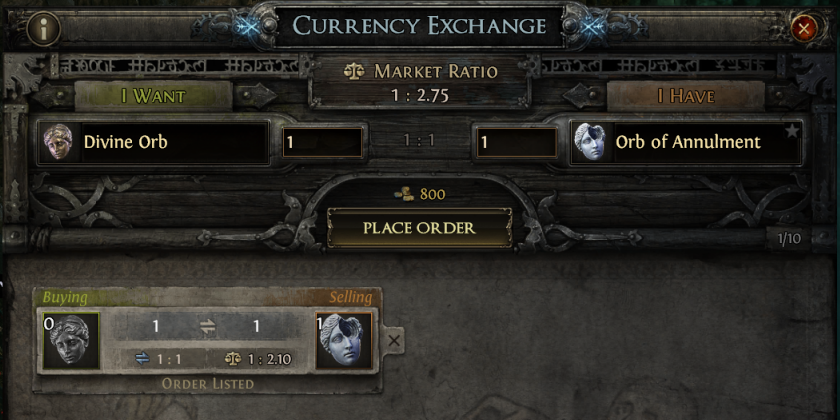
Your listed orders sit underneath with your ratio next to the market ratio. If yours is far off, the order just sits there. Price near the market ratio if you want it filled today.
FAQ
- How do you open the market in PoE 2? Press / or open the menu at the bottom left and pick Market Panel.
- Can you buy from offline players? Yes. Trade is asynchronous: anything in a Merchant's Tab can be bought while the seller is offline.
- Do you need a Merchant's Tab to buy? No. You only need one to sell gear. Buyers just pay the Gold cost.
- Where do you collect your earnings? Ange in your hideout, Manage Shop, Earnings tab.
Sources
Feature details are checked against official documentation. Checklists and practice suggestions are written by Vtomes.
- Asynchronous Trade FAQ
- Content Update 0.5.0 patch notes
- Official item trade search
- In-game Market Panel and Currency Exchange (Vtomes capture, Nov 25, 2026)
Image sources: Vtomes · Path of Exile 2 © Grinding Gear Games.
About the author
Lucien
Gaming for 20+ years. Fell into Path of Exile in Affliction, jumped into PoE 2 on day one, and still can't stop picking up Divines and slamming those Essences.
More guides by Lucien